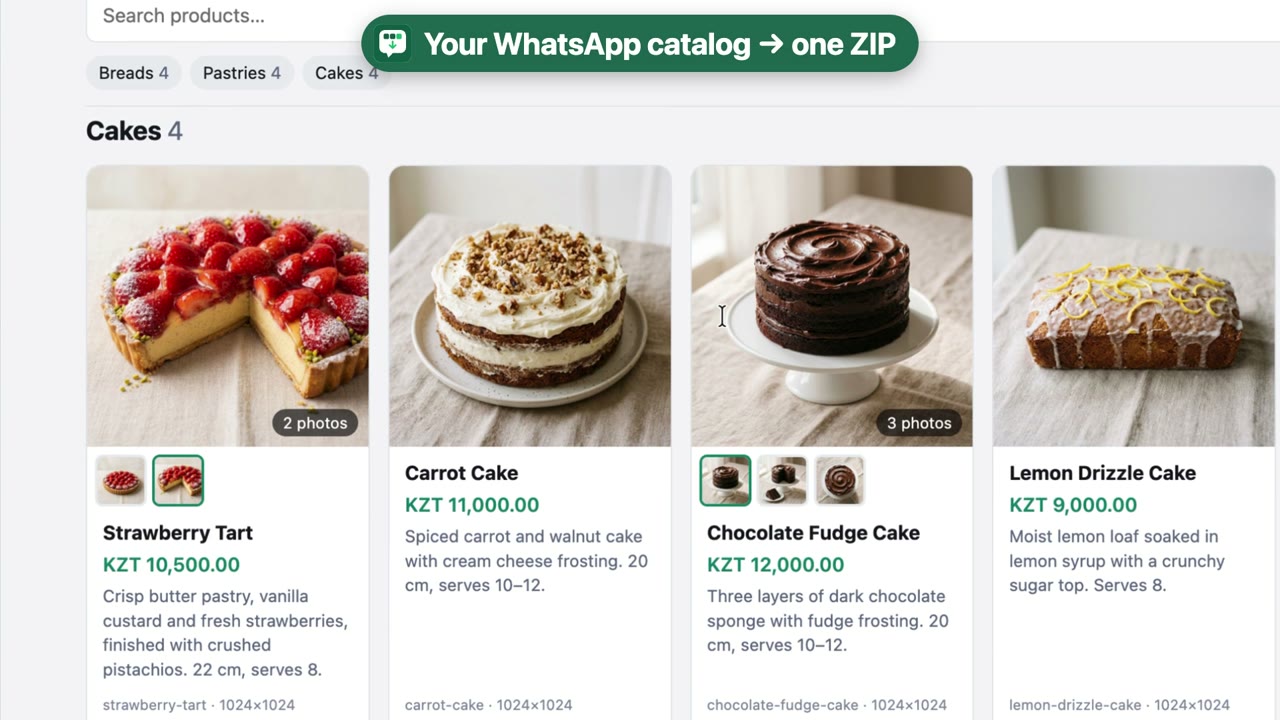
What you get
- Excel spreadsheetOne row per product with its price, description and collections — also as CSV and JSON.
- Every photoEach product photo as an image file — including all photos of products that have several.
- Offline viewerAn
index.htmlpage to browse and search the exported catalog, no internet needed. - Safe to useIt never clicks or changes anything in WhatsApp. It only reads the catalog you open.
How to export a WhatsApp Business catalog
You need WhatsApp Web open in Chrome on a computer.
-
Install the extension
Add Catalog Export to Chrome from the Chrome Web Store. It only asks for access to web.whatsapp.com.
-
Open the catalog in WhatsApp Web
Go to web.whatsapp.com, open the business's chat, then its profile, then Catalog.
-
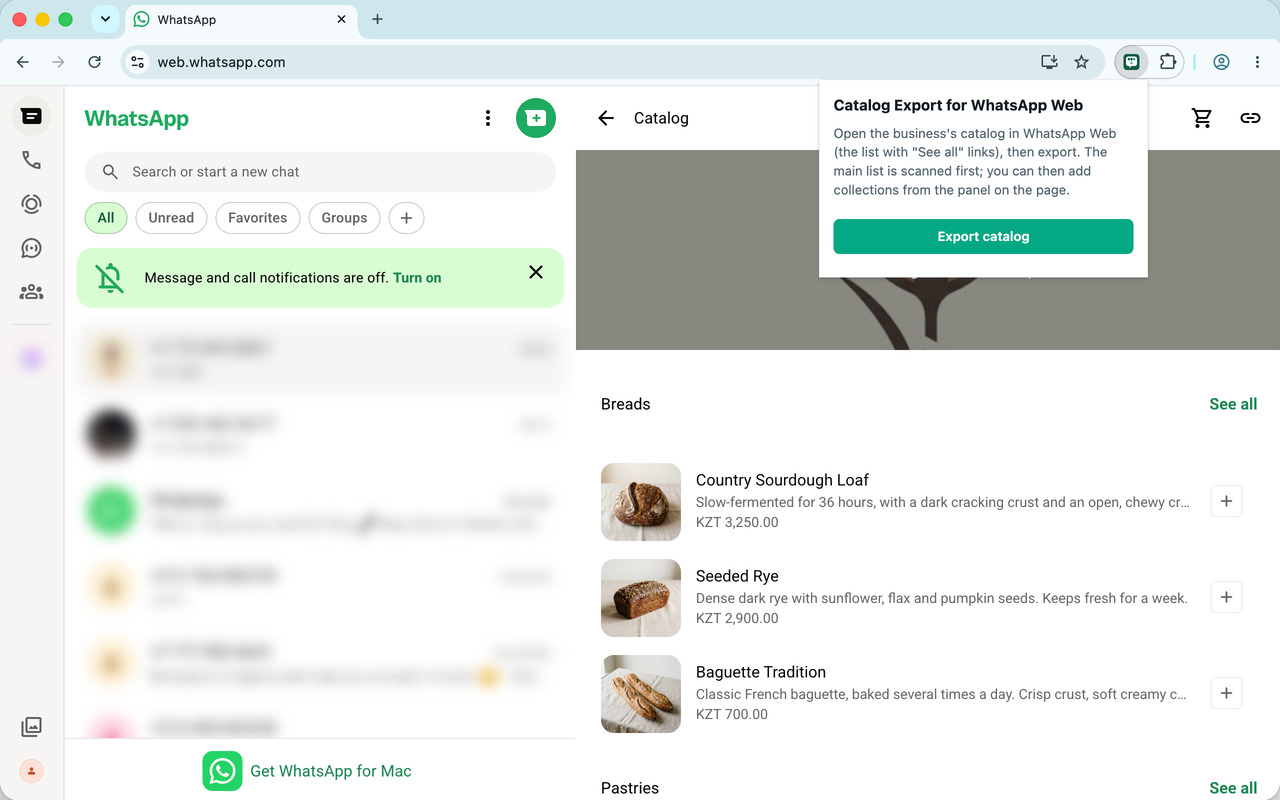
Click Export catalog
Click the extension icon in the toolbar, then Export catalog. Keep the tab visible while the main list is scanned. A small panel at the bottom-left shows the progress.
-
Optional: add collections and extra photos
The main list only previews a few products per collection and shows one photo per product. Open See all on each collection to record which collection its products belong to, and open products that have several photos to save all of them. The panel tells you what is still missing.
-
Download the ZIP
Click Download ZIP in the panel. Unzip the file and open
items.xlsxorindex.htmlto see the result.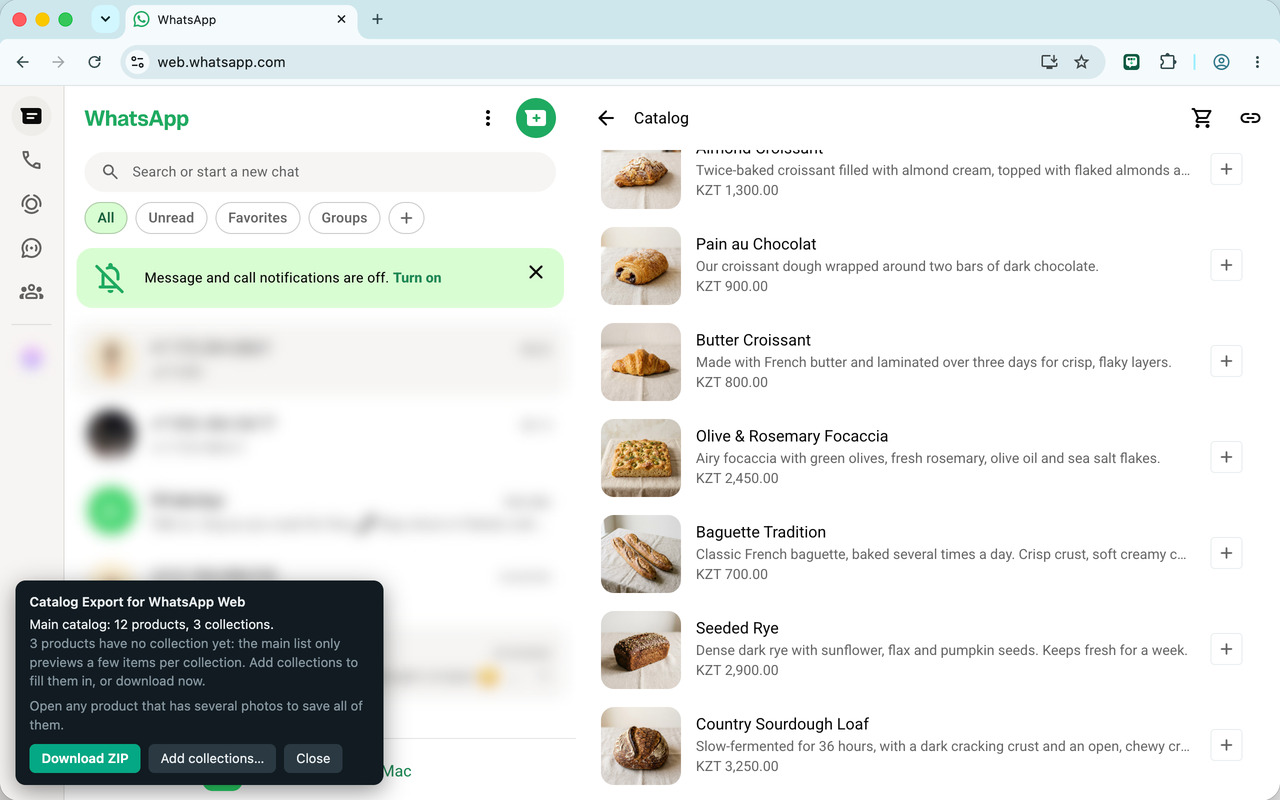
What's in the ZIP
One folder named after the business:
catalog-<business>/
items.xlsxspreadsheet for Excel: one row per productitems.csvthe same rows, for Google Sheets and import toolsitems.jsonevery product: name, description, price, collections, photo filesindex.htmlbrowse and search the catalog offlineimages/the photos:<id>.jpgfirst photo of each product<id>.2.jpgmore photos, when a product has several
Questions
Is it free?
Yes. No account, no subscription.
Does it read my chats or send my data anywhere?
No. It only reads the catalog screens you open, and everything happens inside your browser. Nothing is sent to the developer or to anyone else. See the privacy policy.
Can I open the catalog in Excel or Google Sheets?
Yes. items.xlsx opens in Excel and LibreOffice; import items.csv
into Google Sheets or another tool. There is one row per product, with the price as a
number, its currency, and the price text as WhatsApp shows it. The photos are image
files in the images folder, listed by file name in the sheet.
Can I import it into Shopify?
Not directly. items.csv has every product's name, description and price, but
Shopify's import uses its own column names, so rename them to match Shopify's product CSV
template first. Shopify can't read photos from your computer: add them to each product in
Shopify afterwards, or upload them to Shopify's Files and put their links in the sheet.
Which languages does it support?
The extension and the exported page are in English, French, Arabic, Spanish, Portuguese, Hindi and Indonesian. They follow your Chrome language. The spreadsheet columns stay in English.
Does it work on a phone?
No. It is a Chrome extension, so it works in Chrome on a computer, with WhatsApp Web.
Can it change my catalog or message anyone?
No. It never clicks, sends or changes anything in WhatsApp. It only reads what is on the screen.
Whose catalogs can I export?
Your own business's catalog, or one whose owner allows you to copy it. Product names, descriptions and photos belong to the business that published them. See the terms of use.
Some products or photos are missing. What now?
The panel lists anything it could not read. Open the collections (See all) and the products with several photos while the panel is up, then download again. If something still goes wrong, write to dinislam91@gmail.com.